
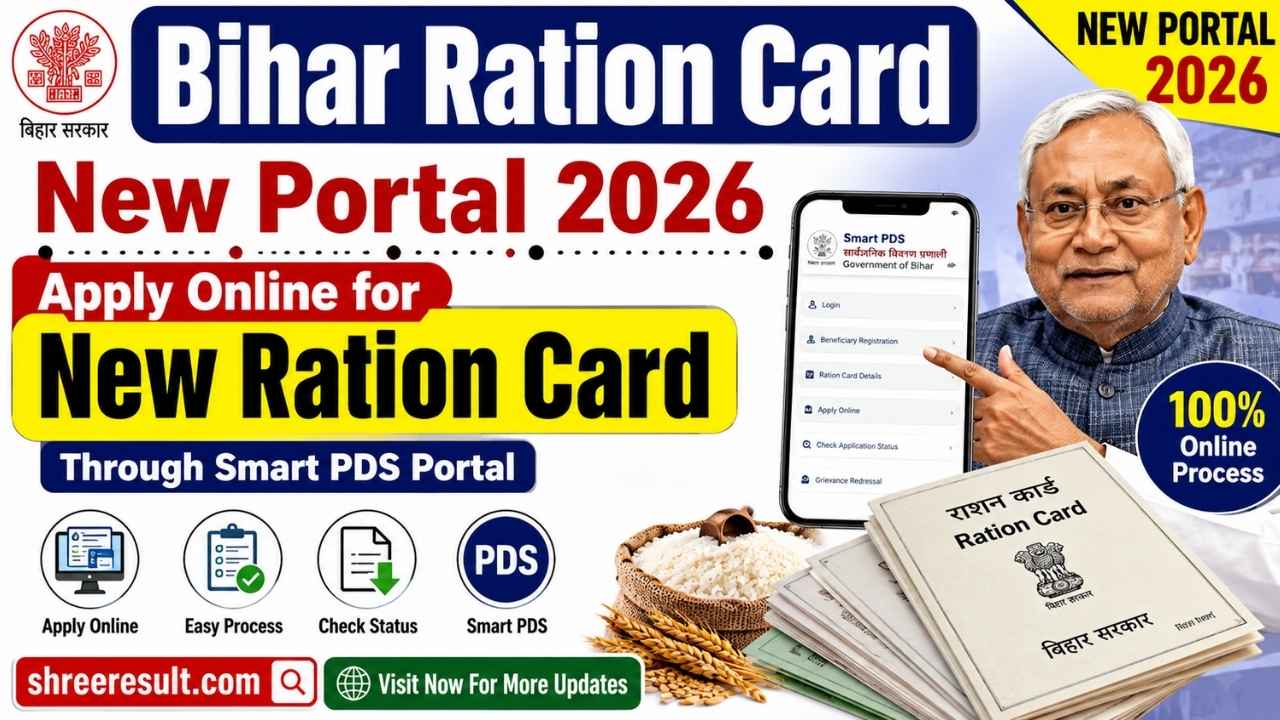
The Bihar Government has taken another important step towards digital governance by launching the Bihar Smart PDS Portal for ration card related services. With the help of this new online platform, eligible citizens of Bihar can now apply for a new ration card from their home without visiting government offices.
Earlier, people had to visit block offices or concerned departments multiple times for ration card applications, document submission, and status updates. The introduction of the Smart PDS Portal has made the entire process more transparent, convenient, and accessible.
Through the Ration Card New Portal 2026, citizens can complete various online services including new ration card registration, citizen login, family member addition, document upload, application tracking, and digital verification.
The portal is designed to simplify the ration card application process by providing a secure online platform where applicants can submit their personal details, family information, address details, and required documents digitally.
In this complete guide, you will get detailed information about Bihar Smart PDS Portal, how to apply for a new ration card online, eligibility criteria, required documents, login process, application steps, status checking process, important instructions, and frequently asked questions.
Bihar Smart PDS Portal 2026 Overview
The Bihar Smart PDS Portal is an online service platform developed by the Food and Consumer Protection Department, Government of Bihar. The main objective of this portal is to provide ration card related facilities digitally to eligible residents of Bihar.
Through this portal, citizens can apply for a new ration card, update family information, upload required documents, and track their application status online.
The online system reduces paperwork and improves transparency in the ration card management process. It also helps the government maintain accurate beneficiary records and ensures that eligible families can access public distribution system benefits efficiently.
Latest Update on Ration Card New Portal 2026
The Bihar Smart PDS Portal has introduced a more convenient online process for citizens who want to apply for a new ration card.
Applicants can now complete registration through Citizen Login and provide details of the Head of Family along with other family members. After completing document verification and submitting the application, the request is forwarded for official verification.
The digital application system helps reduce delays and allows applicants to monitor the progress of their ration card application online.
Citizens should always check the latest instructions available on the official portal before submitting their application because government procedures and requirements may change from time to time.
What is Bihar Smart PDS Portal?
Bihar Smart PDS Portal is a digital platform created to modernize the Public Distribution System services in Bihar.
PDS services play an important role in providing subsidized food grains and essential commodities to eligible families. The Smart PDS Portal makes these services easier by bringing important ration card facilities online.
The portal provides a simple interface where citizens can register themselves, complete verification, submit applications, and track their requests without depending completely on offline processes.
The major focus of this platform is to improve accessibility, transparency, and efficiency in ration card related services.
Objectives of Bihar Smart PDS Portal
The Bihar Smart PDS Portal has been introduced with several important objectives.
The main objectives include:
Providing online ration card application facilities to citizens.
Reducing dependency on physical visits to government offices.
Making the ration card registration process faster and more transparent.
Maintaining accurate digital records of beneficiaries.
Improving verification and monitoring processes.
Providing easy access to application status updates.
Reducing paperwork through digital document submission.
The portal supports the government’s vision of digital transformation by making essential public services available online.
Major Services Available on Ration Card New Portal 2026
The Bihar Smart PDS Portal provides various online services for citizens.
Some important facilities available through the portal include:
New Ration Card Online Registration.
Citizen Login Facility.
Aadhaar OTP Based Verification.
Registered Mobile Number Login.
Head of Family Registration.
Family Member Addition.
Address Details Submission.
Document Upload Facility.
Application Preview.
Final Application Submission.
Online Application Status Tracking.
Digital Verification Process.
These features make the ration card application process easier compared to traditional offline methods.
Benefits of Applying Through Bihar Smart PDS Portal
The online ration card application system provides several benefits to citizens.
Applicants can submit their application from anywhere using an internet connection.
There is no need to visit multiple government offices for initial registration.
The online system saves time and reduces paperwork.
Citizens can upload required documents digitally.
Application progress can be monitored online.
The process provides better transparency compared to manual applications.
Digital verification helps reduce errors in beneficiary records.
The portal is especially helpful for people who cannot frequently visit government offices due to distance or personal limitations.
Who Can Apply for New Ration Card Through Smart PDS Portal?
Citizens who fulfill the eligibility conditions prescribed by the Bihar Government can apply for a new ration card through the Smart PDS Portal.
Generally, applicants must satisfy the following conditions:
The applicant should be a permanent resident of Bihar.
The applicant’s family should not already have an active ration card.
The applicant should have valid identification documents.
Aadhaar details should be available for verification.
The applicant should provide correct family information.
The applicant must fulfill the eligibility rules issued by the Food and Consumer Protection Department.
Final approval of the ration card application depends on official verification.
Eligibility Criteria for Ration Card New Portal 2026
Before applying online, citizens should carefully check the eligibility requirements.
The applicant must be a resident of Bihar.
The applicant should not already possess a ration card under the same family details.
The Head of Family should provide valid personal information.
All family members included in the application should have correct details.
Required documents should be available in the prescribed format.

Mobile number verification should be completed wherever required.
Applicants should provide genuine information because incorrect details may lead to rejection during verification.
Documents Required for Bihar Smart PDS New Ration Card Application
Applicants should keep all required documents ready before starting the online registration process.
The commonly required documents include:
Aadhaar Card of Head of Family.
Aadhaar Card of all family members.
Recent family photograph.
Mobile number.
Residential proof.
Bank account details if required.
Income related documents wherever applicable.
Disability certificate if applicable.
Medical certificate for specific categories if required.
MGNREGA Job Card if applicable.
Voter ID Card if available.
Electricity bill or other address proof documents.
The exact document requirement may depend on the instructions displayed on the official Smart PDS Portal during the application process.
Importance of Providing Correct Information
While applying for a new ration card, applicants should ensure that every detail entered in the application form is accurate.
Incorrect name spelling, wrong Aadhaar number, incorrect address details, or incomplete family information can create problems during verification.
Applicants should carefully review all information before final submission.
Uploading clear and valid documents also helps complete the verification process smoothly.
Conclusion
The Bihar Smart PDS Portal has made the new ration card application process much easier for citizens by introducing a complete online system. Applicants can now register, submit documents, and track their application digitally without unnecessary office visits.
Understanding eligibility requirements, keeping documents ready, and entering accurate information are important steps for successful application submission.
In the next part, we will explain the complete Bihar Smart PDS Citizen Login process, Aadhaar OTP verification, and step-by-step new ration card registration procedure.
Bihar Smart PDS Citizen Login and New Ration Card Registration Process 2026
How to Login on Bihar Smart PDS Portal 2026
Before applying for a new ration card, applicants need to complete the Citizen Login process on the Bihar Smart PDS Portal. The login system has been designed to provide secure access to citizens and verify their identity before starting the application.
The portal provides multiple login options depending on user availability and registration status. Applicants can generally access the portal using Aadhaar based OTP verification or registered mobile number verification.
A successful login allows citizens to access the application dashboard where they can start a new ration card application.
Aadhaar OTP Login Process
Aadhaar OTP login is one of the easiest methods available for citizens.
Follow these steps:
Visit the Bihar Smart PDS Portal.
Select the Citizen Login option.
Choose Aadhaar based login.
Enter your 12 digit Aadhaar Number.
Click on the Generate OTP option.
An OTP will be sent to the mobile number linked with your Aadhaar.
Enter the received OTP.
Complete verification successfully.
After successful authentication, you will be redirected to the citizen dashboard.
Applicants should ensure that their Aadhaar linked mobile number is active because OTP verification depends on it.
Registered Mobile Number Login
Citizens who have a registered mobile number can also use mobile based login options wherever available.
The process generally includes:
Enter the registered mobile number.
Request OTP.
Enter the received OTP.
Complete verification.
Access the application dashboard.
Always use a personal and active mobile number because important application updates may be sent through registered contact details.
Legacy Login Facility
Some existing users may have access to legacy login facilities depending on their previous registration records.
In such cases, applicants can use their existing login credentials wherever the facility is available.
New applicants are generally required to complete the latest Citizen Login process provided on the Smart PDS Portal.
How to Start New Ration Card Application
After successful login, applicants can begin the new ration card registration process from the dashboard.
The general steps are:
Login to Bihar Smart PDS Portal.
Open the Citizen Dashboard.
Select the Apply New Ration Card option.
Read the instructions displayed on the screen.
Click on Proceed.
The online application form will open.
The application process is divided into multiple sections so that applicants can provide complete information step by step.
These sections usually include:
Head of Family Details.
Occupation Information.
General Details.
Address Details.

Family Member Information.
Common Details.
Document Upload.
Final Submission.
Head of Family (HOF) Details Registration
The first and most important stage of the ration card application is entering the Head of Family information.
The Head of Family is considered the primary applicant whose details represent the family record.
Applicants need to provide accurate personal information in this section.
The details generally include:
Name of Head of Family.
Gender.
Date of Birth.
Marital Status.
Father’s Name.
Mother’s Name.
Spouse Name if applicable.
Mobile Number Verification.
Recent Photograph Upload.
All information should match official documents to avoid verification problems.
Uploading Head of Family Photograph
During the application process, applicants need to upload the photograph of the Head of Family.
The photograph should meet the portal requirements regarding:
File format.
File size.
Image clarity.
Applicants should ensure that the uploaded image is clear and properly visible.
A poor quality or incorrect photograph may create problems during verification.
Mobile Number Verification During Registration
Mobile verification is an important part of the Smart PDS registration process.
After entering the mobile number, an OTP is sent for confirmation.
Applicants should:
Enter the correct mobile number.
Keep the mobile device available during registration.
Enter OTP correctly.
Complete verification before moving ahead.
A verified mobile number helps citizens receive future updates regarding their ration card application.
Occupation Details of Head of Family
After completing personal information, applicants need to provide occupation related details.
This section helps authorities understand basic family information.
The details may include:
Current occupation.
Availability of PAN Card.
PAN Card Number if available.
Other occupation related information.
If the applicant does not have a PAN Card, the appropriate option can be selected according to the portal instructions.
General Information Details
After occupation information, applicants need to complete general details.
This section may include information related to:
MGNREGA employment status.
MGNREGA Job Card Number if applicable.
EPIC Number or Voter ID details.
Other required information.
Applicants should provide correct information because these details may be verified during the application process.
Critical Illness Information
The Smart PDS Portal also provides options to enter information about serious health conditions where applicable.
If any family member suffers from a critical illness, applicants may need to provide:
Type of illness.
Duration of illness.
Medical certificate.
If no such condition exists, applicants can select the appropriate option and continue.
Providing false medical information may create verification issues.
Disability Details of Applicant
Applicants can provide disability related information if applicable.
The details may include:
Disability type.
Disability percentage.
Year since disability.
Disability certificate upload.
If the applicant or family member does not have any disability, the relevant option can be selected.
Selecting Family Category
During the application process, applicants need to select the appropriate family category.
Generally, the portal provides options such as:

Single Member Family.
Non Single Member Family.
If only one eligible person is included in the ration card application, the single member option may be selected.
If multiple family members are included, the non single member option should be selected.
After completing the details, save the information and proceed further.
Permanent Address Details
Address information is one of the most important sections of the ration card application.
Applicants must provide their complete permanent address details.
The information generally includes:
Rural or Urban selection.
District.
Subdivision.
Block.
Panchayat or Municipal Body.
Village or Ward.
Pincode.
House Number if available.
Complete residential address.
Applicants should carefully verify the address because the ration card record is linked with this information.
Present Address Details
If the current address is the same as the permanent address, applicants can select the Same as Permanent Address option wherever available.
This saves time by automatically filling similar details.
If the present address is different, applicants need to enter separate information.
After completing address details, save the information and move to the next section.
Conclusion
The Bihar Smart PDS Portal has created a simple digital process for citizens who want to apply for a new ration card. From secure login to Head of Family registration and address submission, every step has been designed to make the application process easier and more transparent.
Applicants should carefully enter personal information, verify OTP details, and ensure that all information matches their official documents.
In the next part, we will cover the remaining application steps including family member addition, common details, document upload, preview, final submission, and application status checking process.
Bihar Smart PDS Portal Family Details, Document Upload and Application Submission Process 2026
How to Add Family Members on Bihar Smart PDS Portal
After completing the Head of Family (HOF) details and address information, the next important step in the Bihar Smart PDS Portal application process is adding family member details.
A ration card represents the complete details of eligible family members, so applicants must carefully enter information for every member who needs to be included.
The family member section allows applicants to create a complete family profile digitally.
Steps to Add Family Members
To add family members, follow these steps:
Open the Family Member section in the application form.
Click on the Add Member option.
Enter the required details of the family member.
Complete OTP verification wherever required.
Upload the photograph and supporting documents if requested.
Save the member information.
Repeat the same process for every additional family member.
Applicants should ensure that all family member details match official documents.
Information Required for Family Members
While adding family members, applicants generally need to provide the following details:
Full Name of Member.
Aadhaar Number.
Date of Birth.
Gender.
Relationship with Head of Family.
Mobile Number if available.
Photograph.
Other required personal information.
Incorrect information may cause verification delays, so applicants should carefully check every entry before saving.
Relationship With Head of Family
The relationship between each member and the Head of Family must be selected correctly.
Common relationship options may include:
Spouse.
Son.
Daughter.
Father.
Mother.
Other family relationships.
Selecting the correct relationship helps maintain accurate family records in the ration card database.
Family Member Occupation Details
After adding personal details, occupation information of each family member may be required.
Applicants may need to provide:
Current occupation.
PAN Card availability.
PAN Number if available.
Other occupation related details.
If a member does not have a PAN Card, the appropriate option should be selected according to portal instructions.
Family Member General Information
The portal may ask for additional details related to each family member.

These details can include:
MGNREGA employment information.
MGNREGA Job Card Number.
EPIC Number.
Other identification details.
Applicants should provide only correct information to avoid issues during government verification.
Critical Illness Details of Family Members
If any family member has a serious medical condition, the relevant details can be added through the health information section.
Applicants may need to provide:
Name of affected member.
Type of critical illness.
Duration of illness.
Medical certificate if applicable.
If no critical illness exists, applicants can select the appropriate option and continue.
Disability Details of Family Members
The Bihar Smart PDS Portal provides a facility to enter disability related information for family members.
If applicable, applicants need to provide:
Disability type.
Disability percentage.
Year of disability.
Disability certificate upload.
Providing correct disability information helps maintain accurate beneficiary records.
Adding Multiple Family Members
If a family contains multiple members, applicants can use the Add Additional Member option.
The same process should be repeated for every member:
Enter personal details.
Verify information.
Upload required documents if needed.
Save the member profile.
Before moving forward, review all family member details carefully.
Common Details Section on Smart PDS Portal
After completing family member information, applicants need to fill the Common Details section.
This section contains general household information required for ration card processing.
The details may include:
Gas connection information.
LPG consumer number.
Gas agency details.
Bank account information.
IFSC Code.
Nominee details.
Other household related information.
Applicants should enter correct banking information wherever required because incorrect details can create verification problems.
Gas Connection Details
The portal may ask whether the family has an LPG connection.
If available, applicants may need to provide:
Gas connection status.
Consumer number.
Gas agency name.
Applicants should enter information exactly as mentioned in official records.
Bank Account Details
Where bank information is required, applicants should carefully provide:
Account holder name.
Bank account number.
IFSC Code.
Other requested details.
Bank details should be accurate because incorrect information can affect future services connected with the ration card.
Document Upload Process
After completing all details, applicants need to upload the required supporting documents.
Document upload is an important step because submitted documents are used during verification.
Common documents include:
Head of Family photograph.
Family photograph.
Aadhaar documents.
Address proof.
Disability certificate if applicable.
Medical certificate if applicable.
Other supporting documents.
Applicants should follow the portal instructions regarding file format and size limits.
Important Points While Uploading Documents
Keep the following points in mind:
Upload clear and readable documents.
Ensure documents are not blurred.

Use the correct file format.
Keep file size within the allowed limit.
Upload documents belonging to the correct applicant.
Avoid uploading unnecessary files.
Clear documents help officials complete verification faster.
Preview Application Before Final Submission
Before submitting the ration card application, the portal provides a preview option.
This stage is extremely important because changes may become difficult after final submission.
Applicants should verify:
Name spelling.
Aadhaar details.
Family member information.
Address details.
Mobile number.
Uploaded documents.
Bank details if entered.
If any mistake is found, correct it before final submission.
Final Submission of New Ration Card Application
After checking all details, applicants can submit their application.
Click on the Final Submit option.
Confirm the submitted information.
The application will be forwarded for official verification.
After successful submission, an Application Reference Number will be generated.
Applicants should save or print this number for future use.
This number helps while checking application progress.
How to Check Bihar Smart PDS Application Status
After submitting the application, citizens can track their application status online.
The general process includes:
Login to Bihar Smart PDS Portal.
Open the application dashboard.
Select Application Status option.
Enter required information.
View current application progress.
The status shows whether the application is pending, under verification, approved, or requires further action.
Common Reasons for Application Delay
Sometimes ration card applications may take longer due to verification or technical issues.
Common reasons include:
Incorrect information in the application.
Incomplete documents.
Mismatch in Aadhaar details.
Poor quality document uploads.
Pending verification by officials.
Incorrect address details.
Technical issues on the portal.
Applicants should regularly check their application status and complete any required corrections quickly.
What to Do If Application Gets Rejected
If an application is rejected, applicants should check the reason mentioned in the portal.
Possible reasons may include:
Duplicate ration card record.
Incorrect information.
Invalid documents.
Eligibility issues.
Incomplete verification.
After understanding the reason, applicants can take appropriate action according to official guidelines.
Tips for Successful Ration Card Application
Keep all documents ready before applying.
Use an active mobile number.
Enter Aadhaar details carefully.
Upload clear documents.
Review the application before submitting.
Save the application number.
Check status regularly.
Follow official portal updates.
These steps can help complete the ration card registration process smoothly.
Conclusion
The Bihar Smart PDS Portal provides a complete digital solution for applying for a new ration card. From adding family members to uploading documents and tracking application status, every stage can now be completed online.
Applicants should carefully provide accurate information and maintain copies of submitted details for future reference.
In the next and final part, we will cover frequently asked questions, important links, SEO optimization details, meta information, keywords, and Google Discover optimization strategy for this article.